Analog Triggers vs Digital Triggers: Why a Half Pull Matters
Updated · Written by Javed Niamat
Understand gradual trigger input, on/off shoulder controls and adaptive resistance, then check what your controller and game actually report.
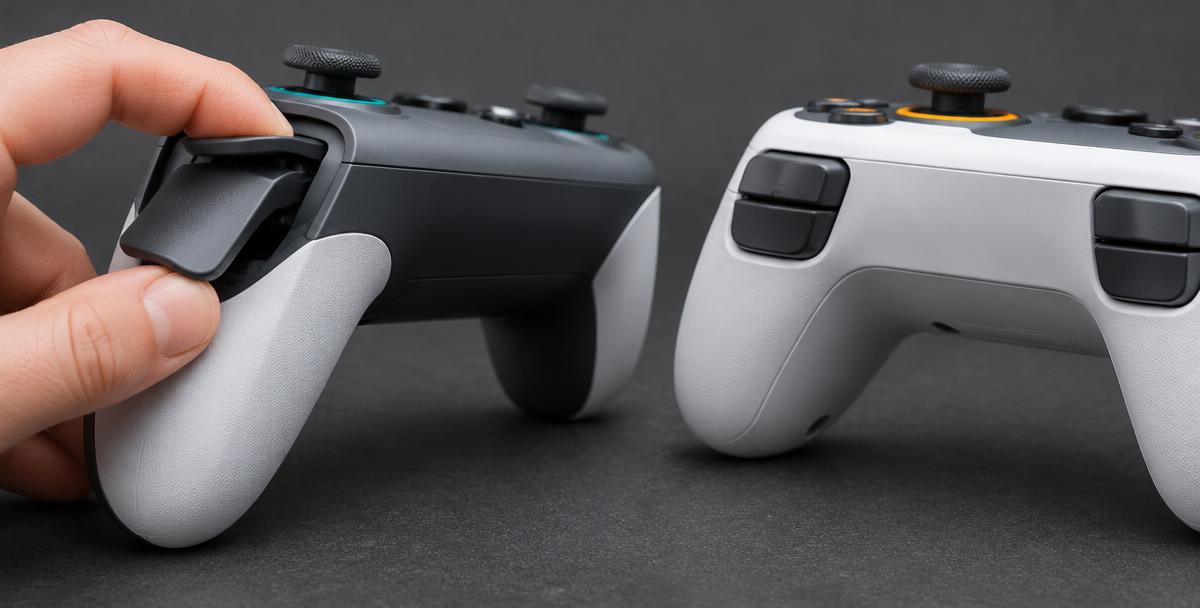
A half pull should not mean the same thing in every game
In a racing game, you might want a little throttle rather than full acceleration. In a menu, you may only need a yes-or-no press. Analog triggers can report intermediate input levels between released and fully pressed; digital controls report an on/off state. Whether that difference helps depends on the controller, its input path and the game. A long-moving trigger is not automatically proof that the game receives a gradual signal, and a game using a trigger as a simple button is not automatically doing something wrong.
Travel, input level and force are different things
Travel is how far the trigger moves. The reported input level is the number the software receives. Force is how hard it feels to pull. These can be related by a controller's design, but they are not interchangeable measurements. The browser's trigger value is not a reading of how many newtons your finger applies. Likewise, a shorter physical travel does not necessarily mean only on/off input: a controller's supported trigger-stop setting and profile may alter the usable range. Check the exact model rather than judging it by its shape.
Why one tool shows 255 and another shows 1.00
Microsoft's XInput structure reports left and right triggers separately as values from 0 to 255. The browser GamepadButton value uses a normalized range from 0.0 to 1.0. These are different ways of representing input, not evidence that the browser makes your trigger less precise. Nor does a displayed decimal prove the device measures every intermediate physical position. Mapping, device processing and the particular input interface determine what reaches the application. Compare behavior within the same setup before comparing raw numbers from unrelated tools.
Check a gradual pull in GPad Checker
Use a single connected controller and press a button to activate it in the visible tester tab. With a standard browser mapping, look for LT/L2 and RT/R2. Start with both released, squeeze one slowly, pause around the middle, continue to its normal limit and let go completely. Repeat on the other side. Intermediate readings show that this browser path exposes gradual input. Do not force extra travel to chase 1.00. If the layout is non-standard, observe which indicator actually responds rather than trusting a printed label.
If the number jumps straight from zero to full
First check whether the control is designed to be digital in the current mode. Then review supported trigger stops, controller profiles and remapping settings; a profile can turn a gradual action into a button command. Restore a noted default profile for a comparison where the manufacturer supports it. Try the same connection in another compatible input viewer or game. A zero-to-one result in one browser is not enough to identify a failed sensor, because the mapping may expose only a digital state. Record the model, mode and connection before contacting support.
Adaptive triggers are not another name for analog input
Adaptive trigger effects change the resistance you feel in supported DualSense games. Analog input concerns the level sent when you pull. A game can support one aspect without exposing every feature through the browser. GPad Checker displays the trigger input made available by the Gamepad API; it does not command DualSense adaptive resistance or grade that mechanism. If your question is about an unexpectedly stiff L2 or R2, compare the game's supported trigger-effect setting and use the model-specific troubleshooting guide rather than interpreting a normal input bar as a resistance test.
Make sure the game uses the gradual signal
Choose a game that documents analog throttle, brake or another partial-input action. Review the binding: a trigger assigned to a keyboard key may behave as on/off even if the controller supplies intermediate values. Compare a light pull and a full pull in a safe practice scene while keeping other settings unchanged. Games can apply thresholds, curves or their own trigger ranges, so an input bar halfway across does not guarantee exactly half acceleration. Use the game's response as the final check for the task you actually care about.
Which trigger type is better?
Neither is best for every action. Gradual controls are useful when the game accepts variable input; an on/off control can suit an action that only needs a press. Before buying a controller, verify the exact model's trigger behavior on your intended platform and connection, then check the game's support. For a pad you already own, a repeatable partial pull and clean release tell you more than a marketing label. If the input repeatedly stays active after release or becomes inconsistent across compatible setups, report those observations without guessing at the internal part.